Which model did the provider report?
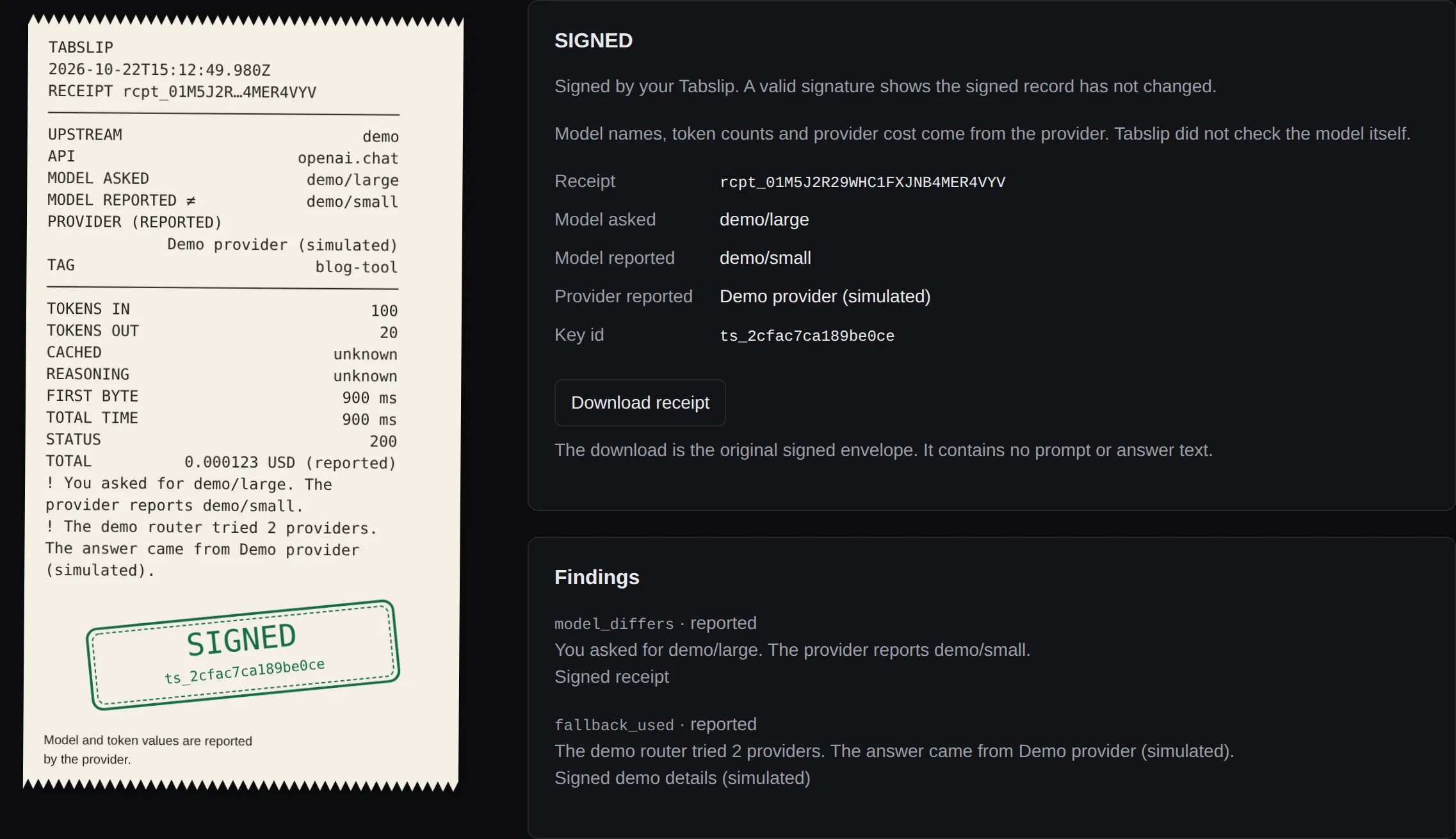
The receipt keeps the model you requested and the one the provider reported. It flags a difference.
Tabslip runs locally between your app and its AI provider. It keeps signed receipts with the usage and cost your provider reports.
Free and open source for Linux, macOS and Windows.
Set up with your coding agent
Copy this into your coding agent inside the project you want to connect.
Set up Tabslip for this project.
Use https://github.com/vincentsch/tabslip: read its AGENTS.md and follow
the steps. Route this project's AI API calls through it, make one real call,
and show me the receipt.
Your provider and keys stay the same. The agent makes one call that may cost money, then shows you the receipt. What the agent changes
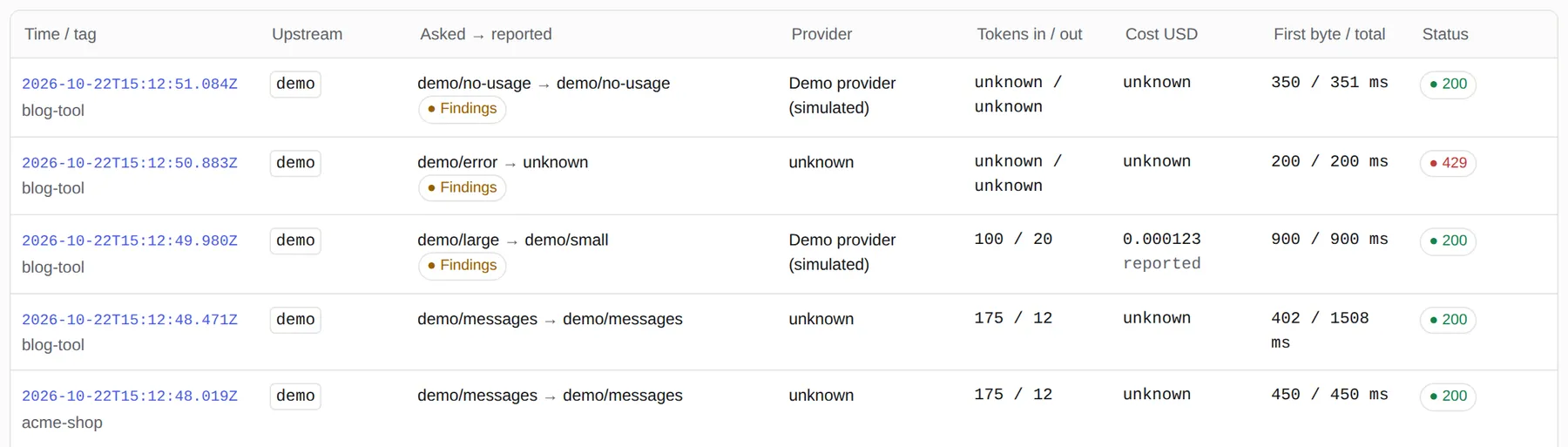
Your app keeps its SDK and its API key. Start the gateway with
tabslip serve, then point the SDK’s base URL at a local
Tabslip route. The call goes on to the same provider.
/openai/v1
/anthropic
/openrouter/v1
/ollama/v1
Default gateway http://127.0.0.1:4545
Start the gateway
tabslip serveOpenAI Python
from openai import OpenAI
client = OpenAI(base_url="http://127.0.0.1:4545/openai/v1")
response = client.chat.completions.create(
    model="gpt-4.1", messages=[{"role": "user", "content": "Hello"}])
print(response.choices[0].message.content)
OpenAI JavaScript
import OpenAI from 'openai';
const client = new OpenAI({baseURL: 'http://127.0.0.1:4545/openai/v1'});
const response = await client.chat.completions.create({
  model: 'gpt-4.1', messages: [{role: 'user', content: 'Hello'}]});
console.log(response.choices[0].message.content);
Anthropic Python
from anthropic import Anthropic
client = Anthropic(base_url="http://127.0.0.1:4545/anthropic")
response = client.messages.create(model="claude-sonnet-4-6", max_tokens=64,
    messages=[{"role": "user", "content": "Hello"}])
print(response.content[0].text)
These snippets call your provider and may cost money. The Anthropic
SDK adds /v1/messages itself, so its base URL leaves out
/v1.
Your Tabslip signs each receipt with an Ed25519 key created on your computer. The receipt separates what the provider reports from what Tabslip measures.
All receipt fieldsThe receipt keeps the model you requested and the one the provider reported. It flags a difference.
Cost comes from the provider when available. Tabslip can also estimate it for supported providers.
Tabslip measures how long each call takes, including the wait for the first byte.
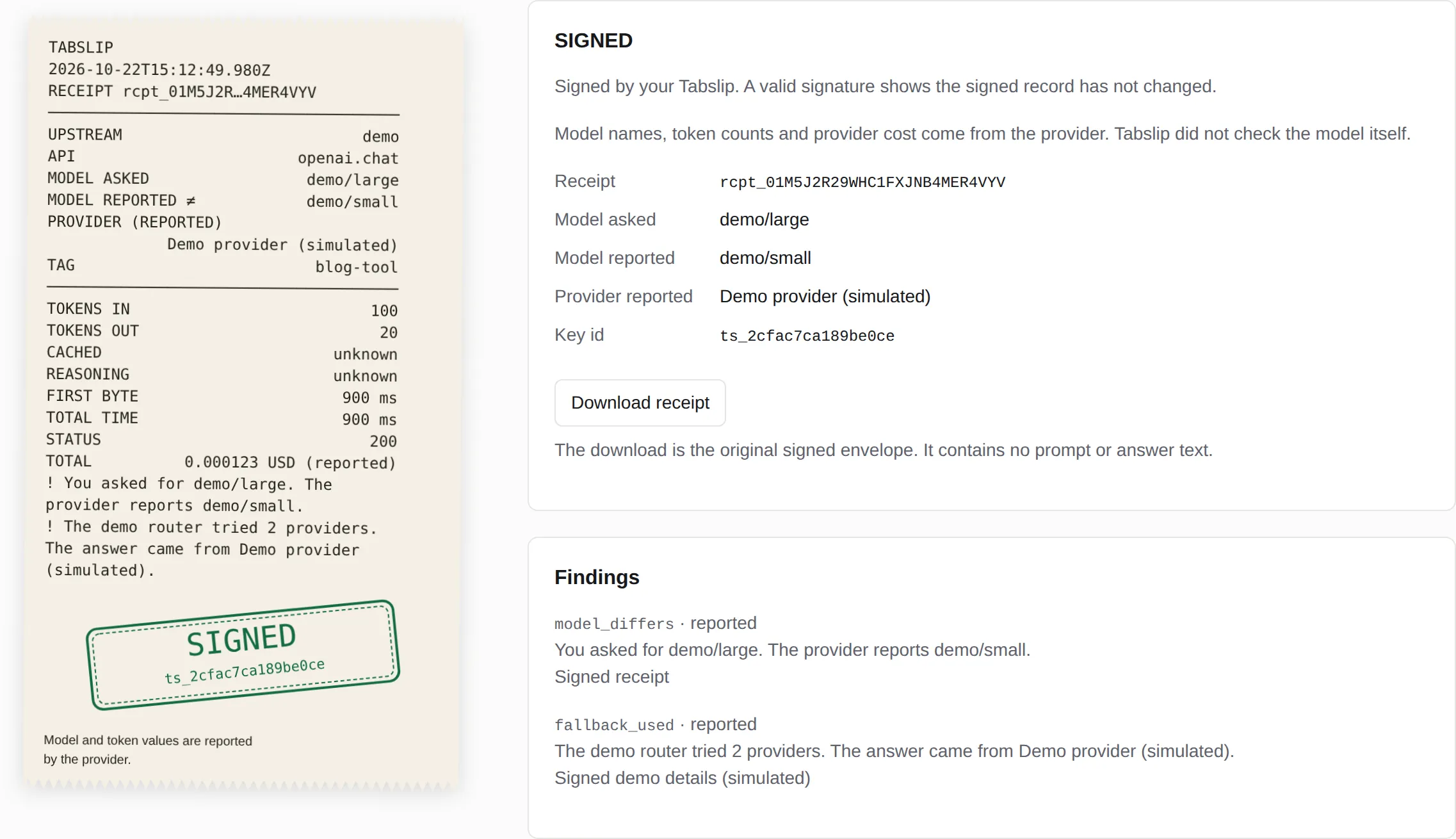
In this example you ask for demo/large and the provider
reports demo/small. These responses are simulated. The
receipt flags the fallback and the model difference.
For real OpenRouter calls, Tabslip can fetch the provider’s routing details afterward. It signs them separately and leaves the original receipt unchanged. If the lookup fails, the receipt stays usable.
Signed supplements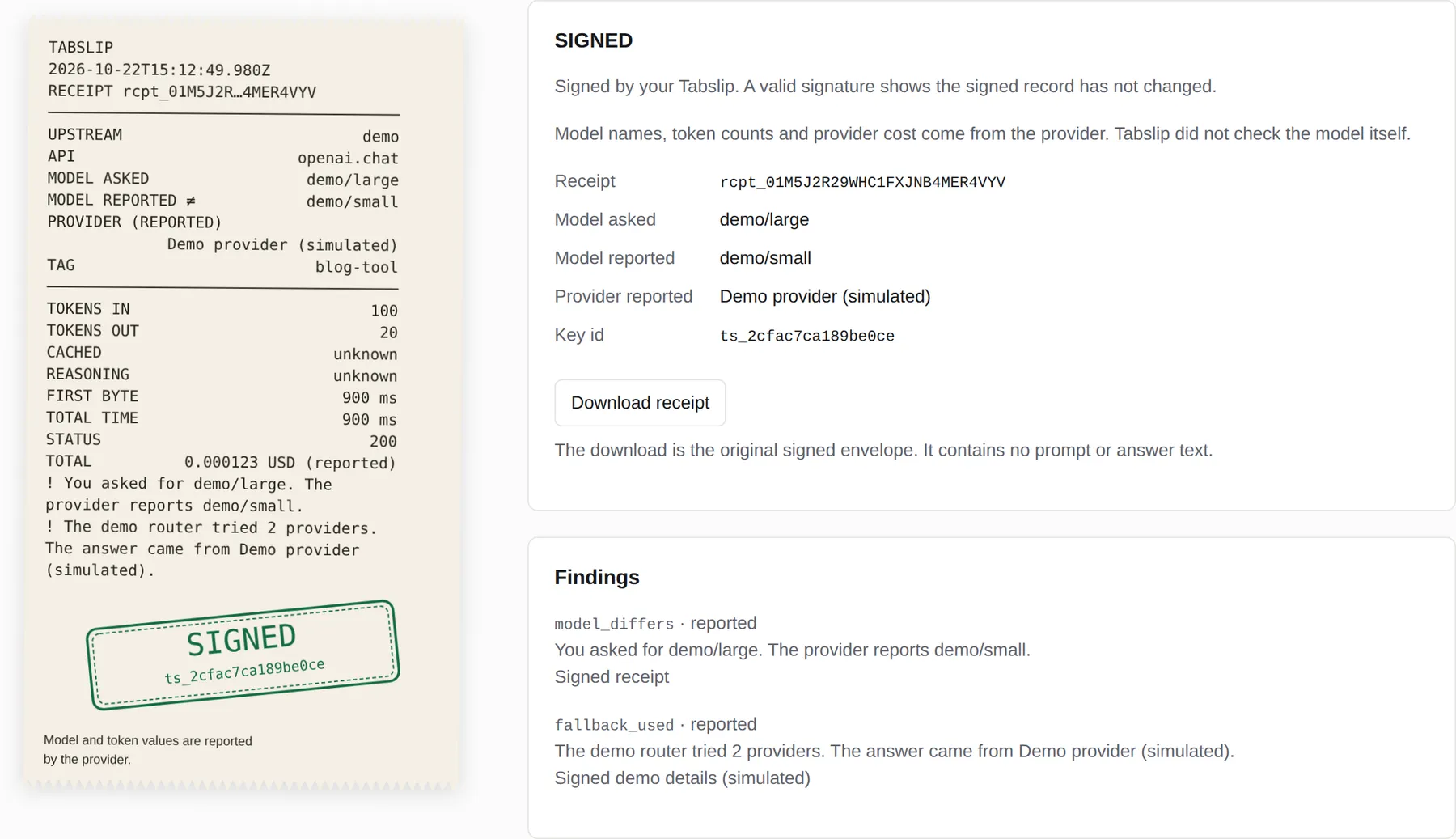
The Spend page groups costs by model. You can also group them by upstream or tag. For direct OpenAI and Anthropic calls, Tabslip can also estimate the cost from a versioned price table.
Without a reported cost or a usable estimate, the cost is unknown. Unknown usage and cost never count as zero.
How costs are calculatedReported spend · last 30 days
0.000603USD
8 calls · 5 with unknown cost
Export a signed bundle and your public key. The recipient checks the bundle offline, without contacting a provider.
They should confirm the key or its fingerprint with you through a separate channel. The key inside a bundle does not confirm its signer, so without a confirmed key the check ends with exit 11.
A valid signature shows the record has not changed since your Tabslip signed it. It does not prove the provider’s numbers, and the key owner can also invent a receipt.
Offline verification$ tabslip export --data-dir ~/projects/acme/demo-data --out calls.tabslip.json8 receipts · 2026-10-22T15:12:46.345Z → 2026-10-22T15:12:51.084ZTags: acme-shop, blog-toolModels: demo/embedding, demo/error, demo/large, demo/messages, demo/no-usage, demo/smallUpstreams: demoNo prompt or answer text is included.Wrote bundle to calls.tabslip.json.exit 0
$ tabslip key export --data-dir ~/projects/acme/demo-data --out tabslip.pubWrote public key to tabslip.pub.exit 0
$ tabslip verify calls.tabslip.json --data-dir ~/projects/acme/confirmed-recipient --key tabslip.pubSignatures: 9 of 9 envelopes valid.Signer: Trusted: the key matches the key you gave with --key.Limits: Model names, token counts and provider cost come from the provider. Tabslip did not check the model itself.exit 0
$ tabslip verify calls.tabslip.json --data-dir ~/projects/acme/unconfirmed-recipientSignatures: 9 of 9 envelopes valid.Signer: Not confirmed: ask the sender for their public key or key id through another channel. Bundle signer: ts_2cfac7ca189be0ce.Limits: Model names, token counts and provider cost come from the provider. Tabslip did not check the model itself.exit 11
Commands and results from the demo. Paths are shortened.
Records stay on your computer. By default they hold metadata and body hashes, without prompt or answer text. API keys pass through and are never stored.
The gateway listens on 127.0.0.1 by default, the loopback
address of your computer. There is no telemetry.
Metadata can still reveal details about your work. A hash can be compared with a known body; it is not encryption.
Storage and privacyenrich_openrouter: false.
tabslip prices update downloads LiteLLM’s public price
file when you run it.
tabslip doctor makes key-free reachability checks to
upstream roots and checks local health.
The built-in demo makes no external requests.
Tabslip records POST calls to the chat completions and Responses APIs. It also records embeddings and Anthropic Messages. All except embeddings support streaming. Other paths forward without receipts.
If the recording queue fills or a write fails, forwarding may still succeed. The page shows an unrecorded-call counter, which resets on restart. API coverage.
Direct OpenAI and Ollama streaming chat can add
stream_options.include_usage=true. The receipt
records that change. OpenRouter requests stay unchanged. Tabslip
forwards your credentials and does not retry provider calls.
Forwarding behavior.
The shell installer supports Windows through Git Bash. For native
Windows, download your architecture’s .exe and
checksums.txt from
GitHub Releases. Compare
the full SHA-256 hash before running it, and confirm the publisher
separately.
Tabslip can run beside your app on a server. Point the app at its local gateway and use SSH port forwarding to open the page on your computer. See server setup for the commands.
Tabslip is free and open source under the MIT license. Your provider’s API charges still apply.
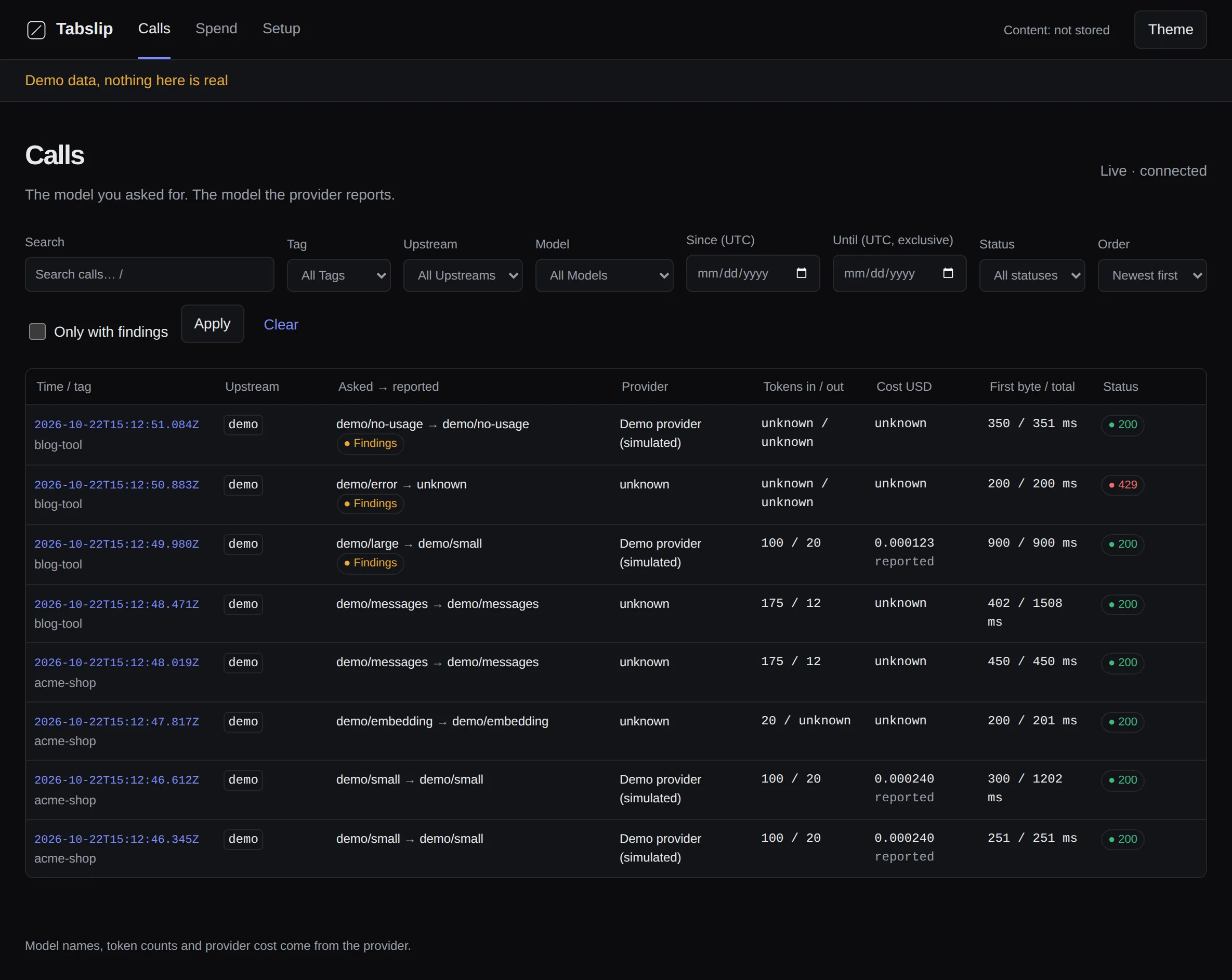
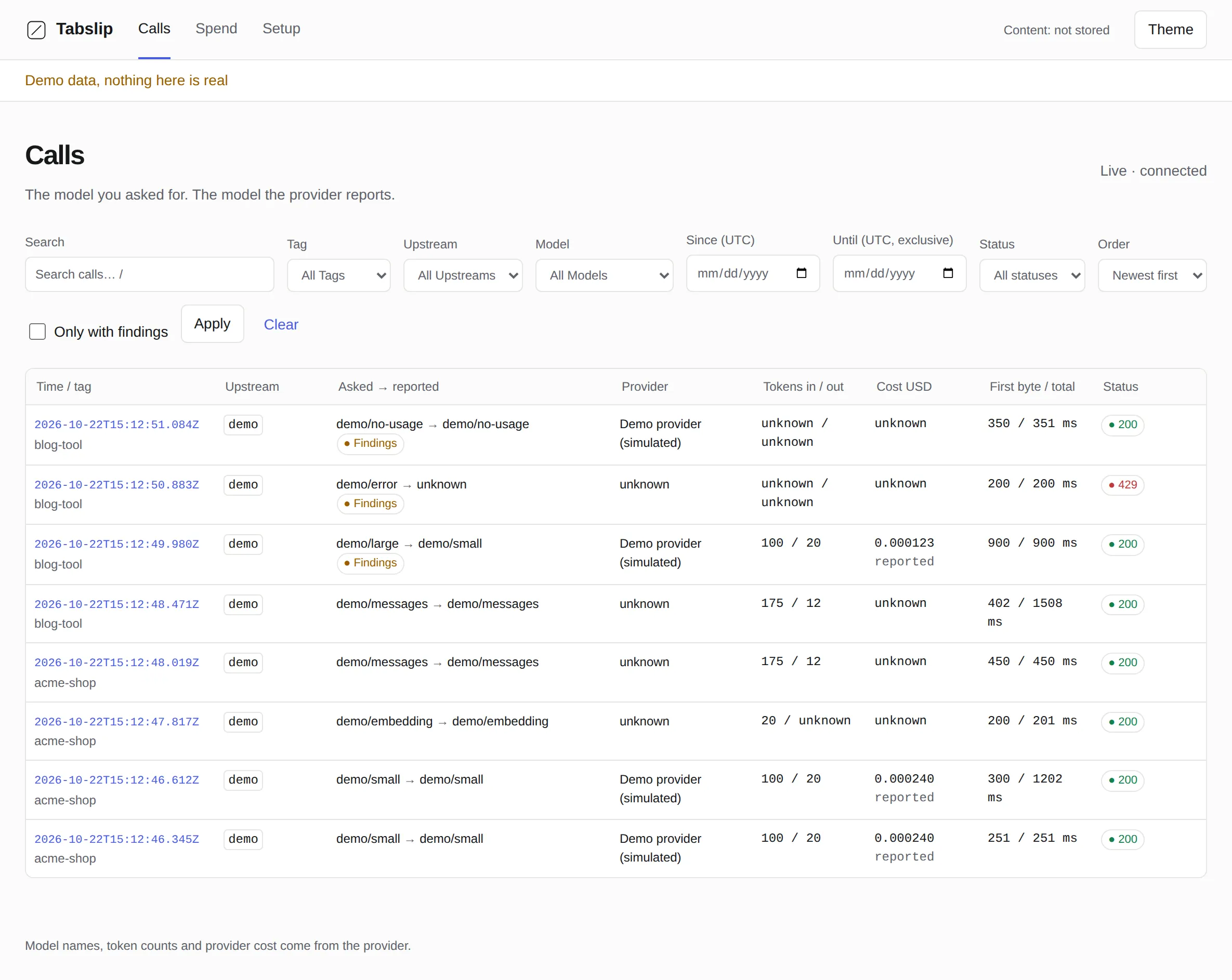
The demo starts its own gateway and sends eight simulated calls. Some show what happens when a call fails or usage is missing. Open the Page URL it prints to see the receipts.
Install Tabslip
curl -fsSL https://raw.githubusercontent.com/vincentsch/tabslip/main/install.sh | shIf the installer prints a PATH command, run it first. Then start the demo:
Run the demo
tabslip demo